All workProperty Care · Property Management

Report it, fix it, see it all.

Residents report a problem in a few taps, service providers accept and fix it, and the office sees every request with its full record. One app with three sides, on a phone and a computer.

Working preview
01

The business

A company that looks after apartment buildings and villas, with residents on one side, outside service providers on the other, and an office in between.

02

What they needed

  • A simple way for residents to report a problem, without calls and messages to chase
  • Each job sent to the right provider, with a clear promise of when work starts
  • One place where the office sees every request, what is late and what is an emergency
03

The mission

Design one app with three sides, so one tap by a resident reaches the right provider and lights up the office. We built it as a working preview with sample data, so the company can try every side on one phone before anything is built for real.

04

What we built

  • Residents report in six steps: where, unit, category, jobs, photos and how urgent
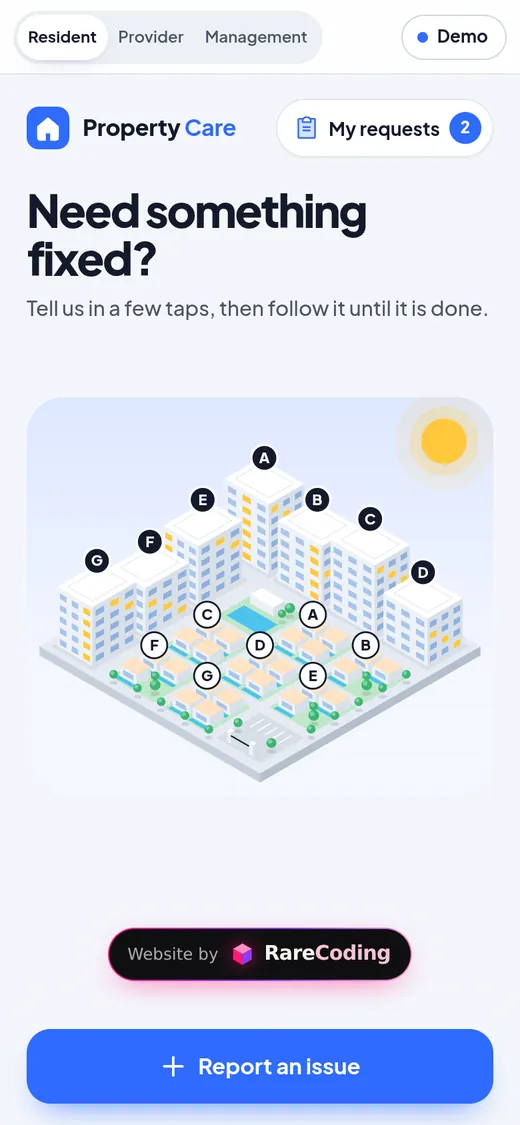
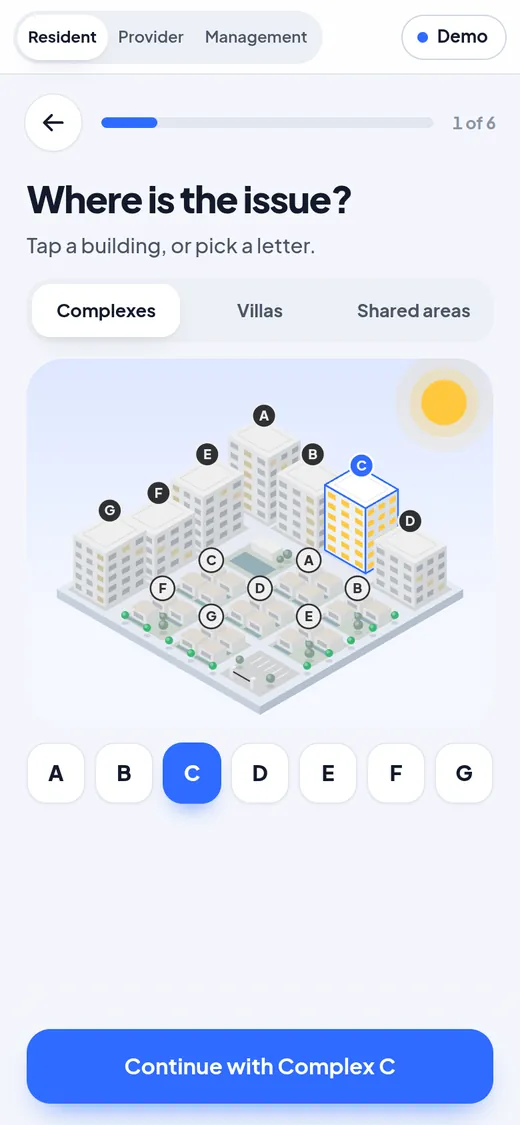
  • The estate drawn as a small model: the chosen building lights up
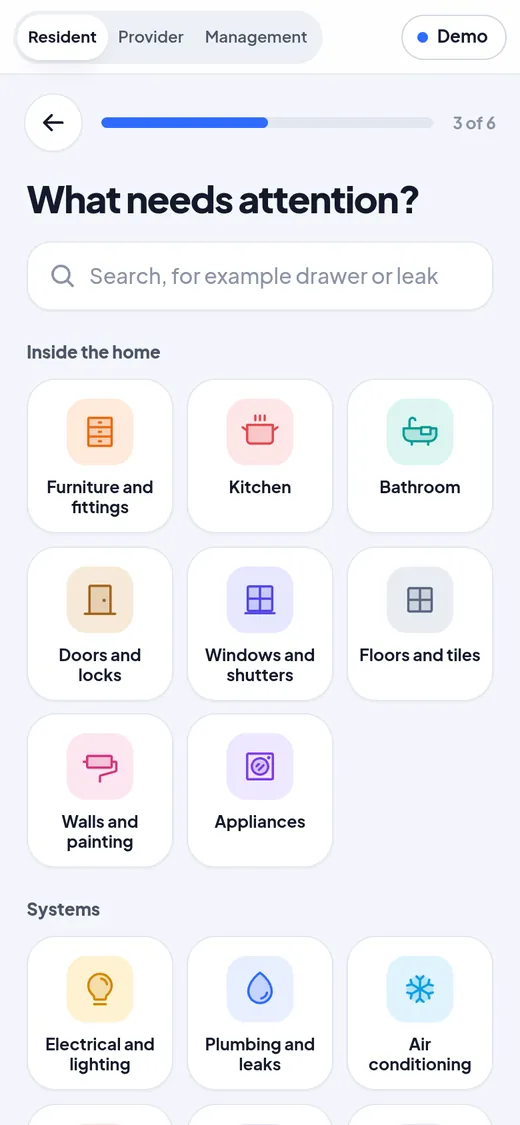
  • 24 categories with their own icons, and a search that finds the job too
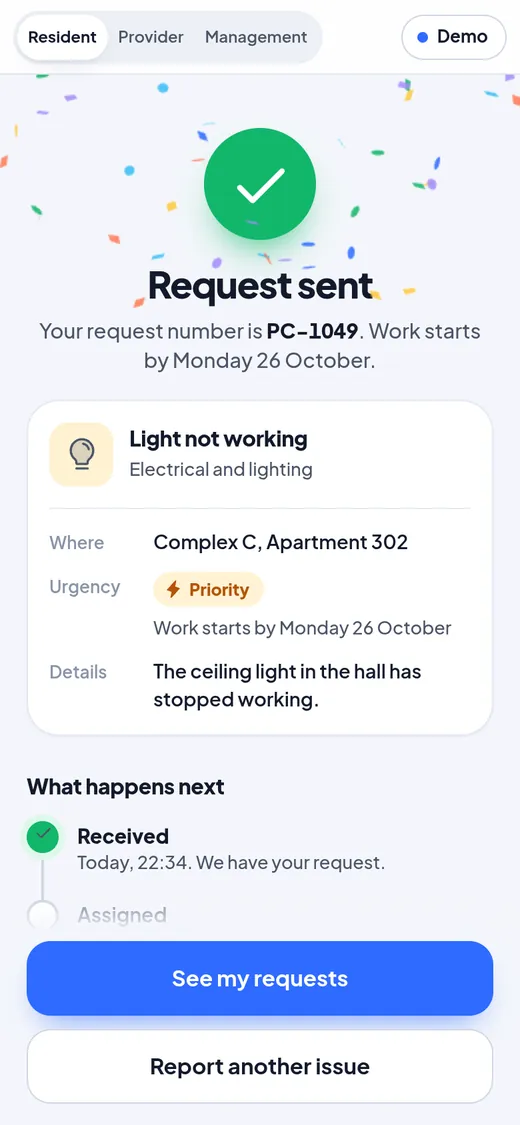
  • Standard, Priority and Emergency, each with the date work will start
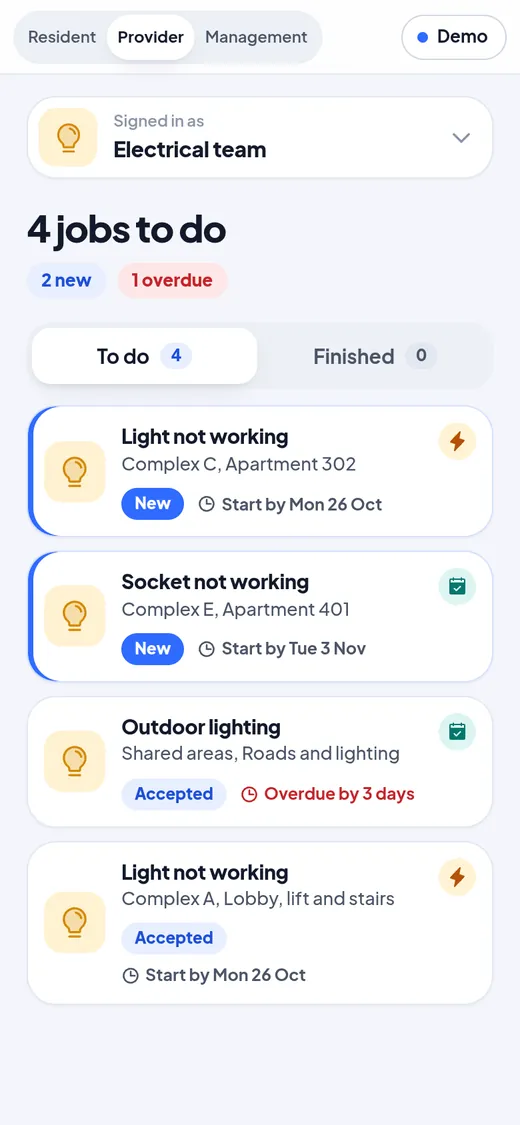
  • Providers accept, start and finish each job, with a photo of the finished work
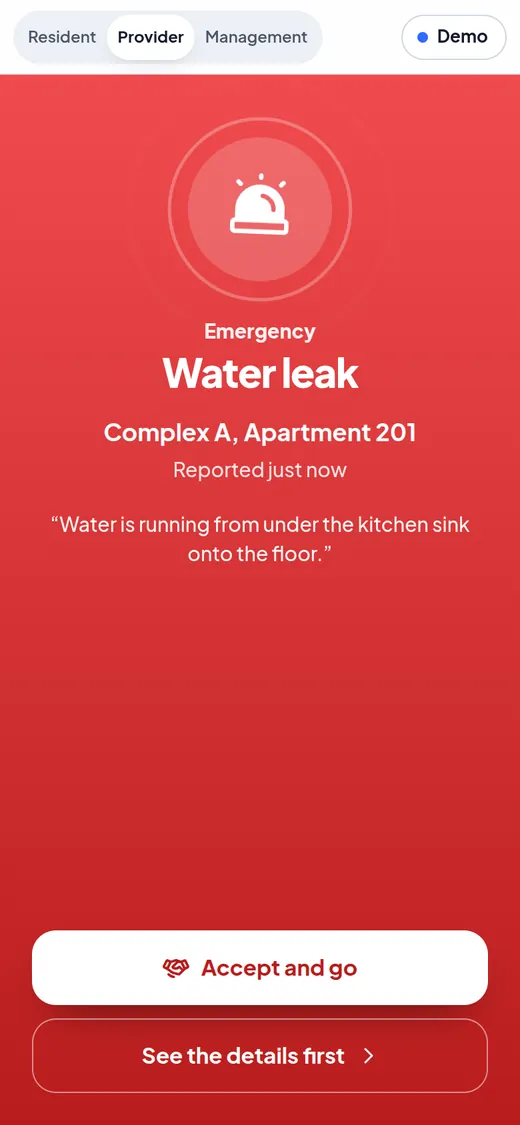
  • A full-screen emergency alert on the provider’s side
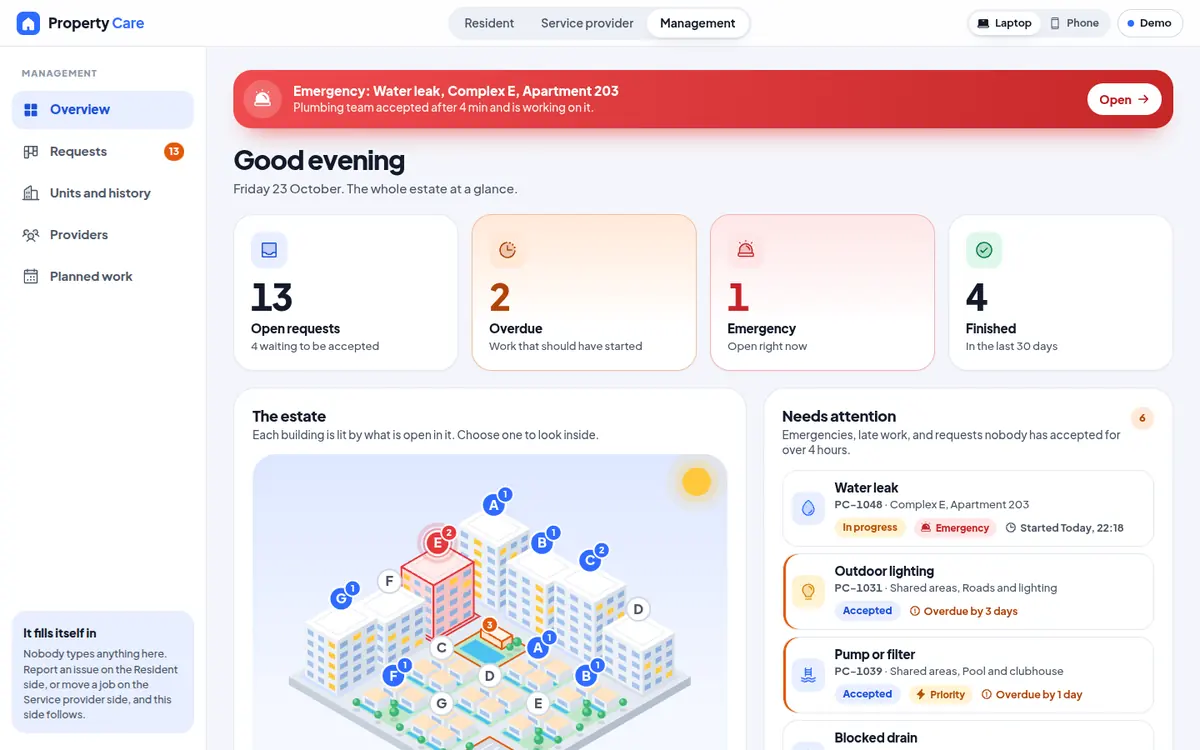
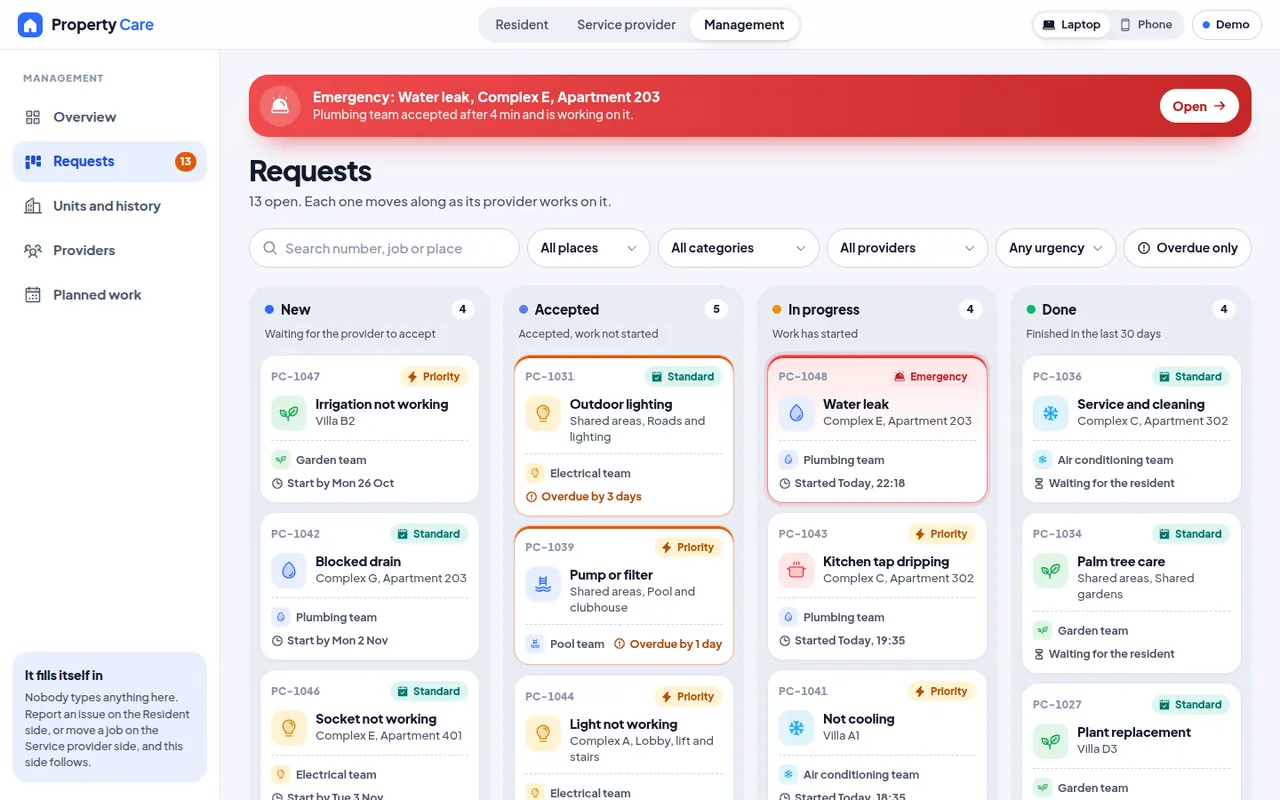
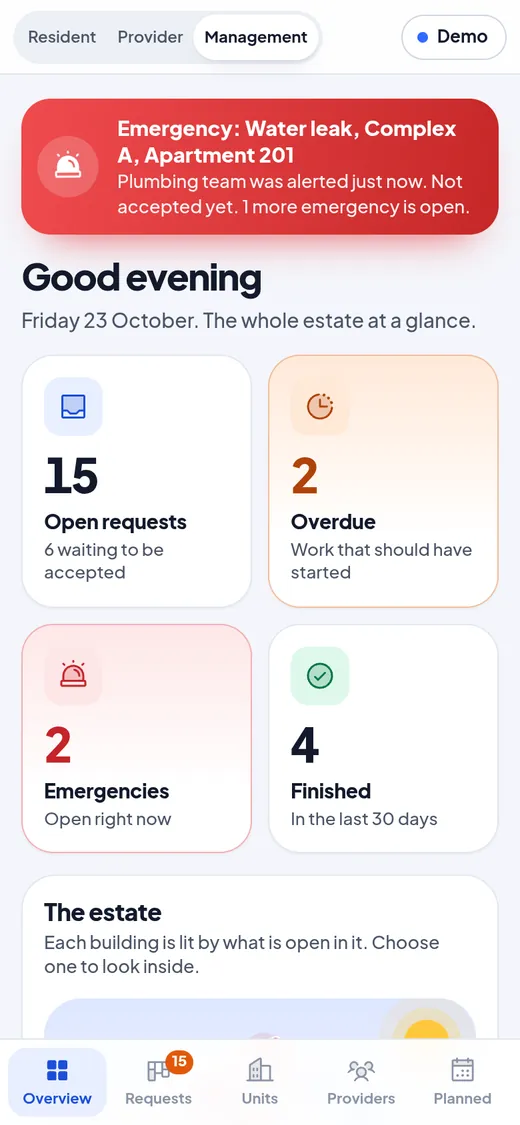
  • The office: live counters, the estate lit by what is open, and what needs attention
  • A requests board with search and filters, and the full record of every job
  • A calendar of planned visits, from gardens to lifts
  • Opens like an app from the home screen, on a phone or a laptop

A closer look. The real screens.

The office’s requests board on a laptop, with search and filters.
The resident picks the building, and it lights up.
24 categories, each with its own icon.
Sent: the request number and what happens next.
The provider’s jobs, emergencies first.
An emergency takes over the provider’s screen.
The office side on a phone.

Want one like this? Let’s build yours.

Tell us about your business, in any language. We reply with a clear plan and a custom quote.

More of our work. Real projects.

Your business, next.Tell us what you need. We design a preview around your business before you decide.Start my project

All our work

Ask our AIWhatsAppEmailStart my project